

Touchless trash can technology is transforming the way kitchens and businesses maintain hygiene. This blog uncovers the real pros, critical downsides, and actionable steps you need for choosing, installing, and troubleshooting a touchless trash can—without the fluff.
Key Takeaways
- Touchless trash cans boost hygiene by eliminating lid contact but demand regular maintenance for reliability.
- Typical pitfalls include sensor or motor failures and higher costs compared to manual bins.
- Proper installation and cleaning can greatly extend your touchless trash can’s lifespan and reduce frustration.
- Understanding Touchless Trash Cans
- Step-by-Step Setup, Maintenance, and Use
- Advanced Analysis & Common Pitfalls
- Conclusion
- FAQ
Understanding Touchless Trash Cans
A touchless trash can uses motion sensors, typically infrared, to detect when your hand (or waste) is near the lid, then opens or closes automatically. This innovation has gained popularity in kitchens, hospitals, and offices for its ability to reduce the spread of germs and make waste disposal more convenient.

Why does this matter? Traditional bins force you to lift the lid and expose your hands to bacteria. Touchless trash cans cut that step, making them ideal for situations where hands are full or cleanliness is crucial. However, this benefit only holds if you maintain and operate the can correctly.
With more kitchen gadgets shifting toward smart and convenient designs—see top space-saving kitchen gadgets and gadgets for apartment kitchens—a touchless trash can is a logical next step in building a cleaner, smarter cooking space.
Step-by-Step Setup, Maintenance, and Use
A touchless trash can is simple to set up, but proper technique avoids frustrating faults down the line. Here’s how to do it right—and keep it running smoothly.
- Unbox and Assemble
Remove all packaging, including the sensor protection film. Assemble base and lid per manufacturer instructions. - Battery Installation
Insert fresh, high-quality batteries. Most models need 3–4 AA or D cells. Lithium lasts up to 2 years; alkaline typically 6–12 months. Make sure the polarity matches the label, and only use rechargeable types if permitted by your model. - Placement
Set your touchless trash can in a spot away from direct sunlight and sources of heat, as both can confuse the sensor or shorten battery life [source]. Avoid putting it too close to foot traffic to reduce false triggers. - Testing and Initial Use
Test by waving your hand 6–8 inches above the sensor. The lid should open promptly and close after a few seconds. No response? Check batteries, sensor cleanliness, and ensure nothing is blocking the sensor. - Routine Cleaning
Once per week, wipe the exterior and lid with a soft, damp cloth. Clean the sensor carefully with an alcohol swab, as dirt can block its function. Avoid submerging electronics, and dry thoroughly. Clean the interior with diluted vinegar or a safe disinfectant to prevent odors and bacteria growth. - Regular Maintenance
Inspect the lid mechanism and tracks every few weeks. Remove any dust or grease with a dry or slightly damp cloth. Lubricate moving parts sparingly with a silicone-based lube if the motion becomes stiff—never force the lid open or closed manually. Periodically replace batteries and check for signs of corrosion or leakage. - Dealing With Malfunctions
If the lid fails to open or close, replace all batteries first. If this fails, clean the sensor and check for blockages or moisture inside. Some units have a reset button; otherwise, try removing and reinserting the batteries. - Pet and Kid Management
Use any available lockout function or reduce sensor sensitivity to prevent activation by pets or small children [source].
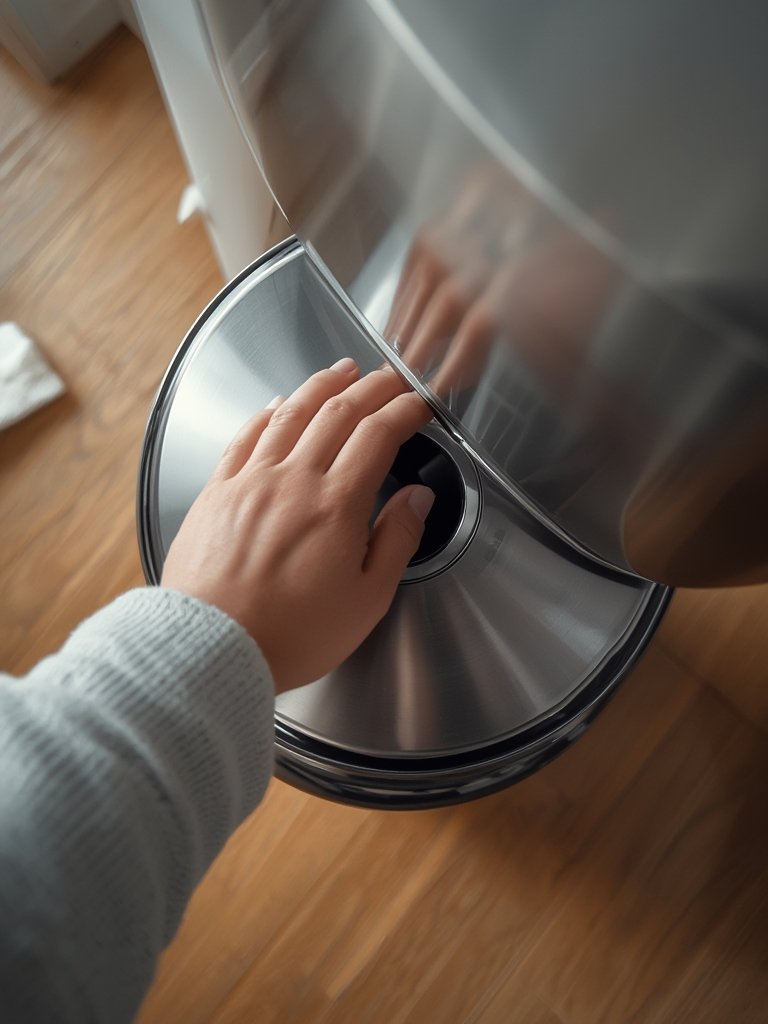
Want more hands-free kitchen ideas? Check these easy cooking gadgets to simplify meal prep or the latest trending kitchen gadgets here.
Advanced Analysis & Common Pitfalls
Touchless trash cans promise hygiene, but they’re not foolproof. Here’s what most guides don’t tell you—and what honest user reviews reveal.
- Sensor failures: The most frequent complaint. Sensors may stop responding due to low batteries, accumulated dirt, or exposure to direct sunlight. Even a thin layer of grease from kitchen air can block infrared.
- Frequent battery replacement: Expect to change alkalines every 6–12 months—sooner with heavy use or if placed in a sunny spot. Lithium batteries offer near double the life but at extra cost.
- Lid jams or delayed response: Dust, deformed lid tracks, or grease can slow or jam the lid’s motion. Motors and gearboxes may also fail from moisture intrusion, causing erratic or only partial opening
.
| Feature | Touchless Trash Can | Manual Trash Can |
|---|---|---|
| Hygiene | High (no contact) | Low to moderate (requires touch) |
| Maintenance | Sensor, battery, motor, tracks | Wipe and general cleaning |
| Common Failures | Sensor, battery, motor jams | Hinge or lid cracking |
| Cost | Higher (no specific data, but a known complaint) | Lower |
| Installation | Insert batteries, ensure no obstructions | Place and use |
| Suitability | Good for kitchens, healthcare, elder care, busy homes | Universal, all environments |
Material durability plays a big role. While stainless steel resists wear and deformation better than plastic, even the best units can suffer if water gets into the electronics. For a thorough overview of how different kitchen tools hold up, see our advanced kitchen tools review.

Conclusion
A touchless trash can delivers real hygiene and convenience benefits if maintained properly. While common issues like sensor failure or battery drain can frustrate, smart setup and cleaning prevent most problems. Weigh higher upfront costs against the day-to-day ease and germ reduction before deciding. Ready for a cleaner, more efficient kitchen? Consider adding a touchless trash can to your space today.
Want to optimize your kitchen even more? Explore other effortless cooking gadgets and top-rated Amazon kitchen gadgets to complete your upgrade.
FAQ
How often do I need to change the batteries in a touchless trash can?
Alkaline batteries last 6–12 months, while lithium batteries can last up to 2 years depending on usage and conditions. Check battery performance every few months for timely replacement.
What should I do if my touchless trash can lid stops responding?
First, replace all batteries with fresh, same-brand units. Clean the sensor with an alcohol swab and ensure there’s no blockage or moisture. If the lid still doesn’t work, consult your manual for a reset process or seek professional repair.
Are touchless trash cans really more sanitary than manual bins?
They significantly reduce germ transmission by eliminating lid contact, but only if you also clean the can regularly and avoid letting moisture damage the electronics.
Can I use standard cleaners to disinfect my touchless trash can?
Use non-corrosive disinfectants or diluted vinegar for cleaning. Avoid immersing the lid or sensor in water. Always dry electronics thoroughly after cleaning.
What are the most common reasons a touchless trash can fails?
Dead or mixed-brand batteries, dirty or blocked sensors, moisture damage, and track or motor failure are the leading causes. Regular maintenance and proper placement can prevent most issues.